Desktop Phones in 2025: Why They Still Matter and How to Choose the Right One
Lola Lin ••
Desktop phones continue to be important tools for business communication in
No matter if you're running a small office or a large call center, a good desktop phone provides reliability and quality that mobile devices can't match. In this guide, we'll dig in to why desktop phones still matter, how to choose the right one, and ways to integrate them with modern workflows. We'll cover everything from basic models to advanced VoIP systems. Let's get started.
SecondLine Business Phone Setup for Professional Communication
Pairing your desktop phone with a SecondLine business number creates a powerful communication system. This gives you a dedicated line for work while keeping your personal number private.
Setup steps:
Choose a SecondLine number in your preferred area code
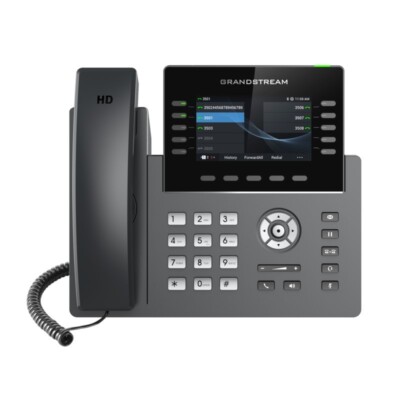
Grandstream GRP2616 (executive model with sidecar)
Polycom VVX 450 (12-line SIP phone)
VoIP vs Traditional Desktop Phones
Understanding the differences between phone technologies helps you make the right choice. Modern VoIP phones offer more features than traditional landlines.
Comparison:
VoIP uses internet connection, landlines use phone lines
VoIP offers HD audio and video calling
Traditional phones work during power outages
VoIP integrates with business software
Landlines have simpler setup requirements
Setting Up Your Desktop Phone for Maximum Productivity
Proper configuration turns your desktop phone into a productivity powerhouse. Follow these tips to get the most from your device.
Optimization tips:
Program speed dial for frequently called numbers
Set up call forwarding to your mobile when away
Configure do-not-disturb hours
Sync contacts with your CRM
Enable call recording where permitted
Desktop Phone Features to Look For in 2025
New models offer exciting features that improve communication. Know what to look for when shopping.
Important features:
HD voice quality (wideband audio)
Bluetooth for wireless headsets
USB-C charging ports
Touchscreen interfaces
Video calling capability
Wi-Fi connectivity options
Integrating Desktop Phones with Modern Workflows
Today's desktop phones can connect with the tools you already use. Learn how to bridge the gap between traditional and digital communication.
Integration ideas:
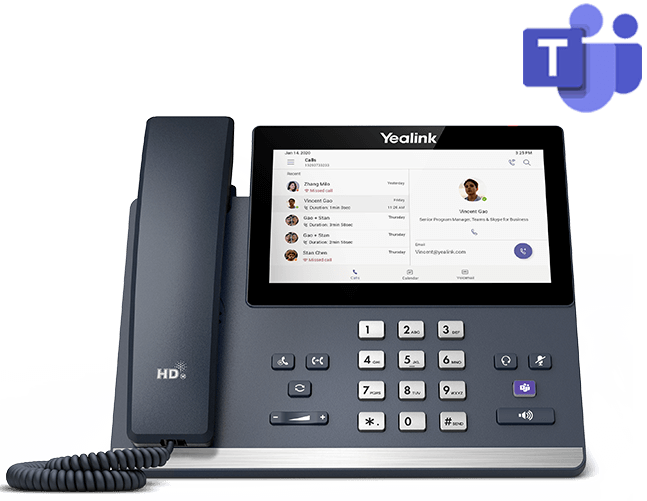
Connect to Microsoft Teams or Zoom
Sync with Google Contacts
Enable SMS messaging capabilities
Set up voicemail-to-email transcription
Link with CRM systems like Salesforce
Cost-Effective Desktop Phone Solutions
Quality communication doesn't have to break the bank. Here are budget-friendly options that deliver great value.
Affordable choices:
Grandstream GRP2612 (entry-level)
Yealink T33G (mid-range)
Refurbished enterprise models
Open-source VoIP solutions
Bundle deals from providers
Final Thoughts
Desktop phones continue to play a key role in business communication in
With modern VoIP technology, they offer more features than ever while maintaining the reliability professionals need. Whether you choose a basic model or a high-end system with video capabilities, the right desktop phone can level up your business communications. Remember to consider your specific needs and workflow when selecting a device.